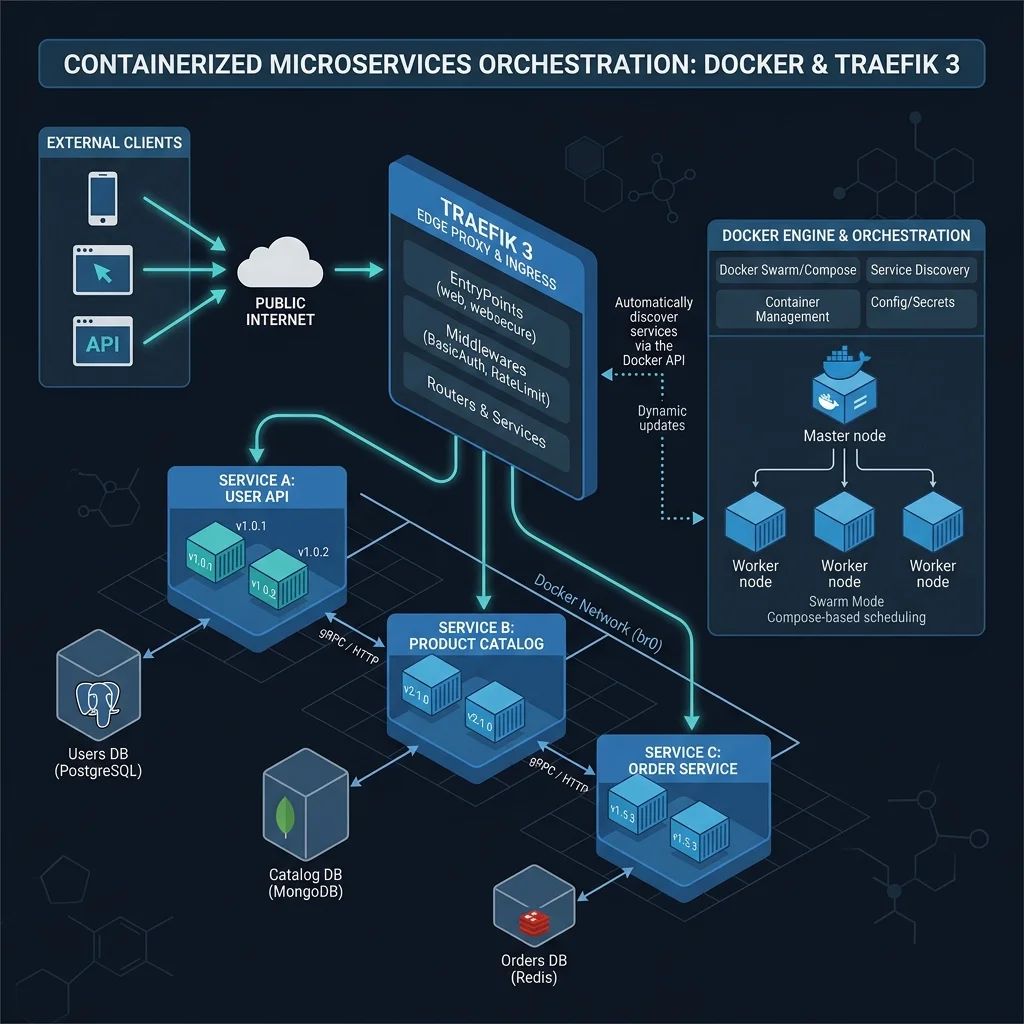
Self-hosting web applications, analytics tools, and microservices gives you complete control over your data. However, managing SSL certificates, routing traffic, and managing open firewall ports across dozens of Docker containers can quickly become complex.
By combining Traefik 3 (automated reverse proxy), Portainer (container GUI), and Cloudflare Zero Trust Tunnels, you can route and secure containerized web applications without opening a single inbound port on your server router.
Architecture Overview
[ Internet Client ]
       | (HTTPS)
[ Cloudflare Zero Trust Edge ]
       | (Encrypted Tunnel - outbound connection)
[ cloudflared Daemon ]
       | (Internal Docker Network)
[ Traefik 3 Reverse Proxy ]
       | (Container Labels Routing)
[ Microservices / App Containers ]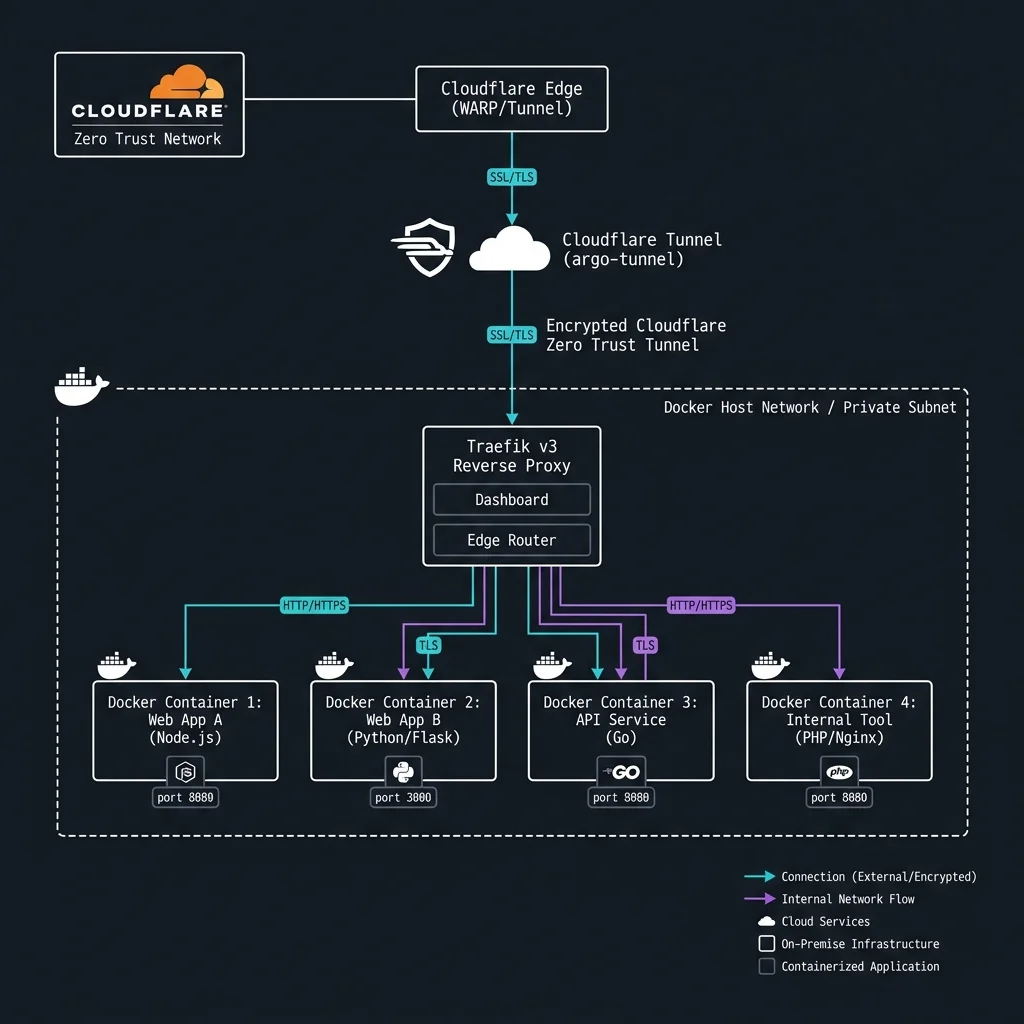
1. Deploying Portainer via Docker Compose
Portainer provides a visual web interface to manage container stacks, inspect logs, and monitor resource consumption.
Create a docker-compose.yml for Portainer:
version: '3.8'

services:
  portainer:
    image: portainer/portainer-ce:latest
    container_name: portainer
    restart: always
    security_opt:
      - no-new-privileges:true
    volumes:
      - /var/run/docker.sock:/var/run/docker.sock
      - portainer_data:/data
    ports:
      - "9000:9000"

volumes:
  portainer_data:
Launch Portainer:
docker compose up -d2. Setting Up Traefik 3 Reverse Proxy
Traefik 3 dynamically inspects Docker labels to automatically route web traffic and acquire SSL certificates.
Create traefik.yml dynamic configuration:
entryPoints:
  web:
    address: ":80"
    http:
      redirections:
        entryPoint:
          to: websecure
          scheme: https

  websecure:
    address: ":443"

providers:
  docker:
    endpoint: "unix:///var/run/docker.sock"
    exposedByDefault: false

certificatesResolvers:
  letsencrypt:
    acme:
      email: your-email@example.com
      storage: acme.json
      httpChallenge:
        entryPoint: web
3. Securing Connections with Cloudflare Zero Trust Tunnels
Instead of port-forwarding port 80/443 on your home router or VPS firewall, run Cloudflare’s cloudflared daemon in a container.
Deploying cloudflared Container
Add cloudflared service to your stack:
services:
  cloudflared:
    image: cloudflare/cloudflared:latest
    container_name: cloudflared
    restart: always
    command: tunnel --no-autoupdate run --token YOUR_CLOUDFLARE_TUNNEL_TOKEN
Benefits of Cloudflare Tunnels
- No Open Ports: Your server initiates an outbound encrypted tunnel to Cloudflare’s edge network.
- DDoS & WAF Protection: Cloudflare blocks malicious traffic before it ever reaches your host.
- Zero Trust Authentication: Add email OTP or single sign-on (SSO) login prompts in front of admin dashboards.
Conclusion
Combining Traefik 3, Portainer, and Cloudflare Tunnels provides a clean, secure, and production-ready microservice deployment pipeline for self-hosters and sysadmins.